BMW F06, F12, F13 US tail light coding
The FRM coding that stops the rear turn signals lighting when braking on a US-coded BMW 6 Series F06, F12 or F13.

On this page
On a US-coded BMW 6 Series (F06, F12 or F13), the rear turn signals light up when you brake. To stop that, change two values in the FRM under 3080 (FRM_LAMPMAP).
This guide is for information only. If you follow it, you do so at your own risk, and we accept no liability for any damage to your car or belongings.
Why change it
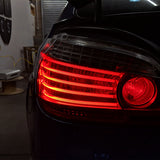
With the original US tail lights, which have red brake lights, this isn't an issue. With BavGruppe Design GTS tail lights, which have orange turn signals, some owners prefer the European look.
Before you start
- A battery tender or charger suitable for coding.
- An app for coding F-series BMWs, such as E-Sys or BimmerGeeks ProTool.
- A cable suitable for coding, such as an ENET cable or the BimmerGeeks USB to OBD cable.
Steps (BimmerGeeks ProTool)
- Connect to your car.
- Go to the FRM module.
- Go to the coding page.
- Click Edit coding.
- Go to Expert mode.
- Find and expand 3080 (FRM_LAMPMAP).
- Find LAMP_MAP_PARA_SATZ_05 and change it from Bv_F010_Wert_02_Fraz_Bl_Us to Bv_F010_Wert_01_Bl_Ueber_Sl2.
- Find LAMP_MAP_PARA_SATZ_06 and change it from Bv_F010_Wert_02_Fraz_Bl_Us to Bv_F010_Wert_01_Bl_Ueber_Sl2.
- Save and apply the coding.
- Cycle the ignition.
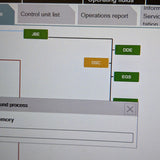
Screenshots


Using BimmerCode
In BimmerCode, open the FRM, switch on the Expert mode toggle at the top of the screen and accept the warning. The values to change are the same as in ProTool. BimmerCode can't make this change over a D-CAN or K-Line cable: you'll need an ENET cable or one of its approved adapters.
These changes are tried and tested with BimmerGeeks ProTool, but any F-series coding app can make them, including E-Sys and BimmerCode.
Common questions
Which values do I change?
In the FRM under 3080 (FRM_LAMPMAP), change LAMP_MAP_PARA_SATZ_05 and LAMP_MAP_PARA_SATZ_06 from Bv_F010_Wert_02_Fraz_Bl_Us to Bv_F010_Wert_01_Bl_Ueber_Sl2.
Can I use BimmerCode?
Yes, in expert mode, with an ENET cable or an approved adapter. A D-CAN or K-Line cable won't do it.
Do I need this with the original US tail lights?
No. With their red brake lights, the turn signals lighting when braking isn't an issue.
Can someone do it for me?
Yes. We can code it for you remotely, or if you're near BavGruppe Design in New York City, they can do it in person at their premises.
Rather we did it?
If you don't have the hardware, or would rather not do it yourself, we can code this change for you remotely. If you're local to BavGruppe Design in New York City, they can carry it out in person at their commercial premises. Questions? WhatsApp us on +44 121 295 1900.