How to enter the BMW CIC iDrive service menu
The controller sequence that opens the service menu on a BMW with CIC iDrive.
On this page
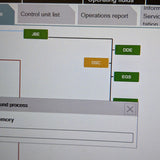
On a BMW with CIC iDrive, you open the hidden service menu from the home screen with a set sequence of pushes and turns on the iDrive controller.
This guide is for information only. If you follow it, you do so at your own risk, and we accept no liability for any damage to your car or belongings.
What CIC is
CIC (Car Information Computer) is the iDrive head unit fitted to many BMWs.
Steps
- Go to the main (home) screen.
- Push the controller forward and hold it for 10 seconds.
- Turn it right three clicks.
- Turn it left three clicks.
- Turn it right one click.
- Turn it left one click.
- Turn it right one click.
- Push the controller down once, briefly.
Common questions
Where do I start the sequence?
From the main (home) screen.
How long do I hold the controller forward?
10 seconds, then go straight into the turns.
Nothing happened. What now?
Go back to the home screen and start again, counting each click carefully.
Need a hand?
We can read the fault codes and diagnose your car in person at our Oldbury workshop or remotely. Questions first? WhatsApp us on 0121 295 1900.