How to code out EDC on a BMW M3 (E90, E92, E93)
The vehicle order change and coding values to clear errors after removing EDC from a BMW M3 E90, E92 or E93.
On this page
If you've swapped the EDC suspension on a BMW M3 (E90, E92 or E93) for non-EDC suspension, the car shows errors until you code it to expect non-EDC suspension. This guide gives the vehicle order change and the coding values.
This guide is for information only. If you follow it, you do so at your own risk, and we accept no liability for any damage to your car or belongings.
Why the errors appear
The car expects signals from the EDC module and its hardware. When a part is removed, it logs errors.
Before you start
- Coding software and a cable for E-series BMWs.
- Know whether your car has CCC or CIC, as the values differ.
Steps
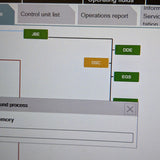
- Remove $223 from the vehicle order.
- Write the updated vehicle order to both the CAS and the FRM.
- CCC cars: code CAPPL to factory defaults.
- CIC cars: code CIC to factory defaults.
- Code the KOMBI to factory defaults.
- CCC cars: in CAPPL, set EDC to nicht_aktiv.
- CIC cars: in CIC, set EDC_CIC to nicht_aktiv.
- In the KOMBI, set EDCK_ALIVE_ZAEHLER to nicht_aktiv and EDCK_ID_MONITOR to nicht_aktiv.
- Remove the EDC module, and seal its connector against water ingress.
Coding values
- CCC cars: CAPPL > EDC = nicht_aktiv
- CIC cars: CIC > EDC_CIC = nicht_aktiv
- KOMBI > EDCK_ALIVE_ZAEHLER = nicht_aktiv
- KOMBI > EDCK_ID_MONITOR = nicht_aktiv
Common questions
Why do I get errors after removing EDC?
The car still expects the EDC module and its hardware. Coding it for non-EDC suspension clears that.
Do I need to remove the EDC module?
Yes. Remove it and seal the connector so water can't get in.
Which values apply to my car?
CAPPL on cars with CCC, CIC on cars with CIC. The KOMBI values apply to both.
Rather we did it?
We can code your car in person at our Oldbury workshop or remotely. Not sure where to start? WhatsApp us on 0121 295 1900.